










Turn the type base price into clear sellable conditions without rewriting historical bookings.
Before you start
- Complete unit types and their base prices.
- Agree meal, cancellation and stay-length conditions.
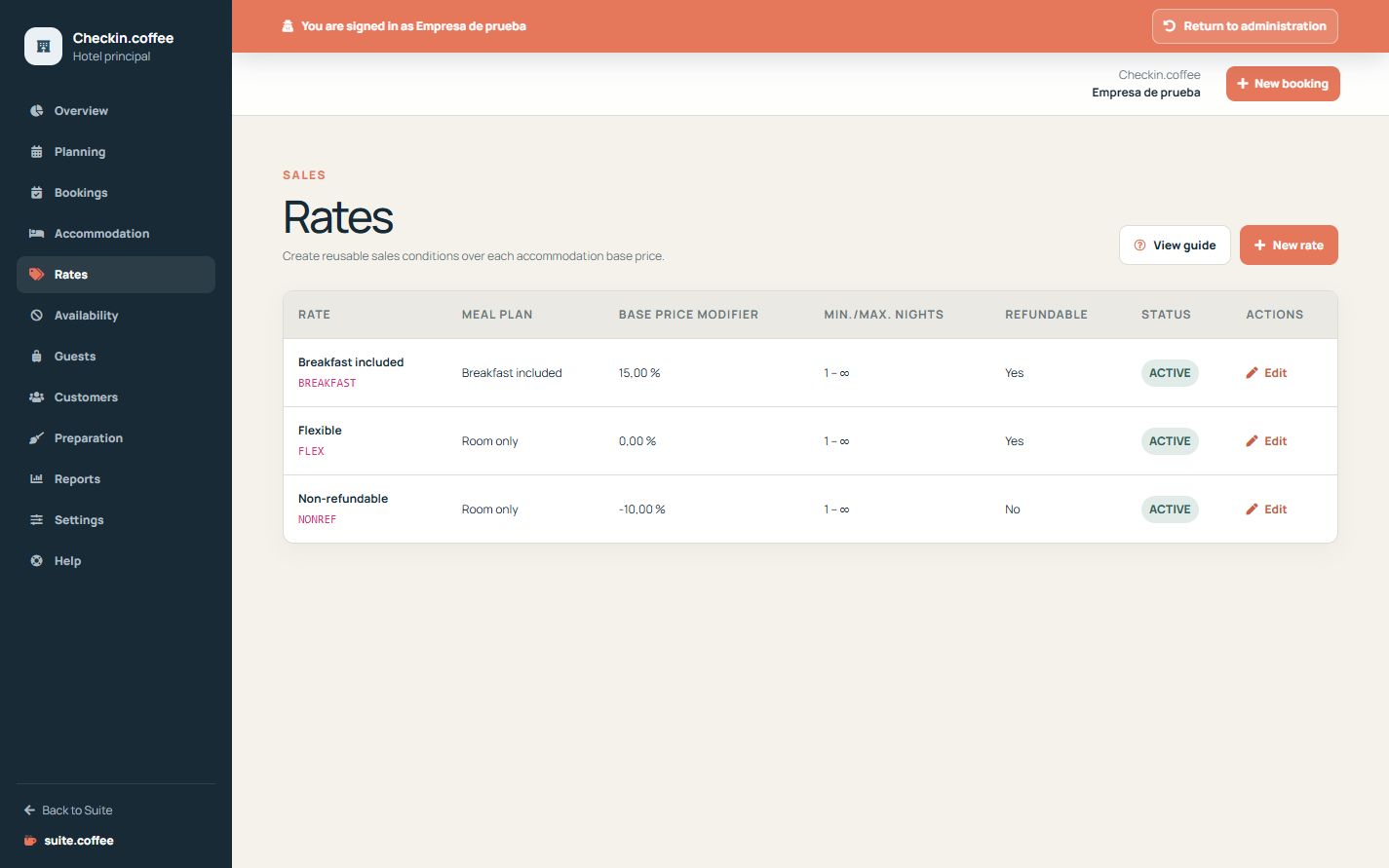
Build a rate rule
Give the rate a stable code, meal plan, refundable flag, cancellation text, price modifier and minimum and maximum nights.
Understand price calculation
The nightly amount starts from the unit-type base price and applies the selected percentage modifier. The booking stores price, tax, currency and charge snapshots; later rate changes do not recalculate history automatically.
Control active capacity
The plan counts active rates. Deactivation keeps existing bookings and their snapshots while removing the rate from new selections.
Step by step
- Open Rates and create a rate plan.
- Give it a stable internal code and clear name.
- Choose meal plan, refundable condition and cancellation text.
- Set the percentage modifier and minimum or maximum nights.
- Activate it and verify the calculated public price.
Final check
- The code is unique and stable.
- Meal and cancellation wording match the real offer.
- The public amount applies the intended modifier.
Tip: Changing a rate does not rewrite booking snapshots; deactivate obsolete offers instead of repurposing their code.