










Model what is sold separately from every physical room, apartment or bed that receives an assignment.
Before you start
- List the commercial types and real units.
- Confirm occupancy, amenities and base price for each type.
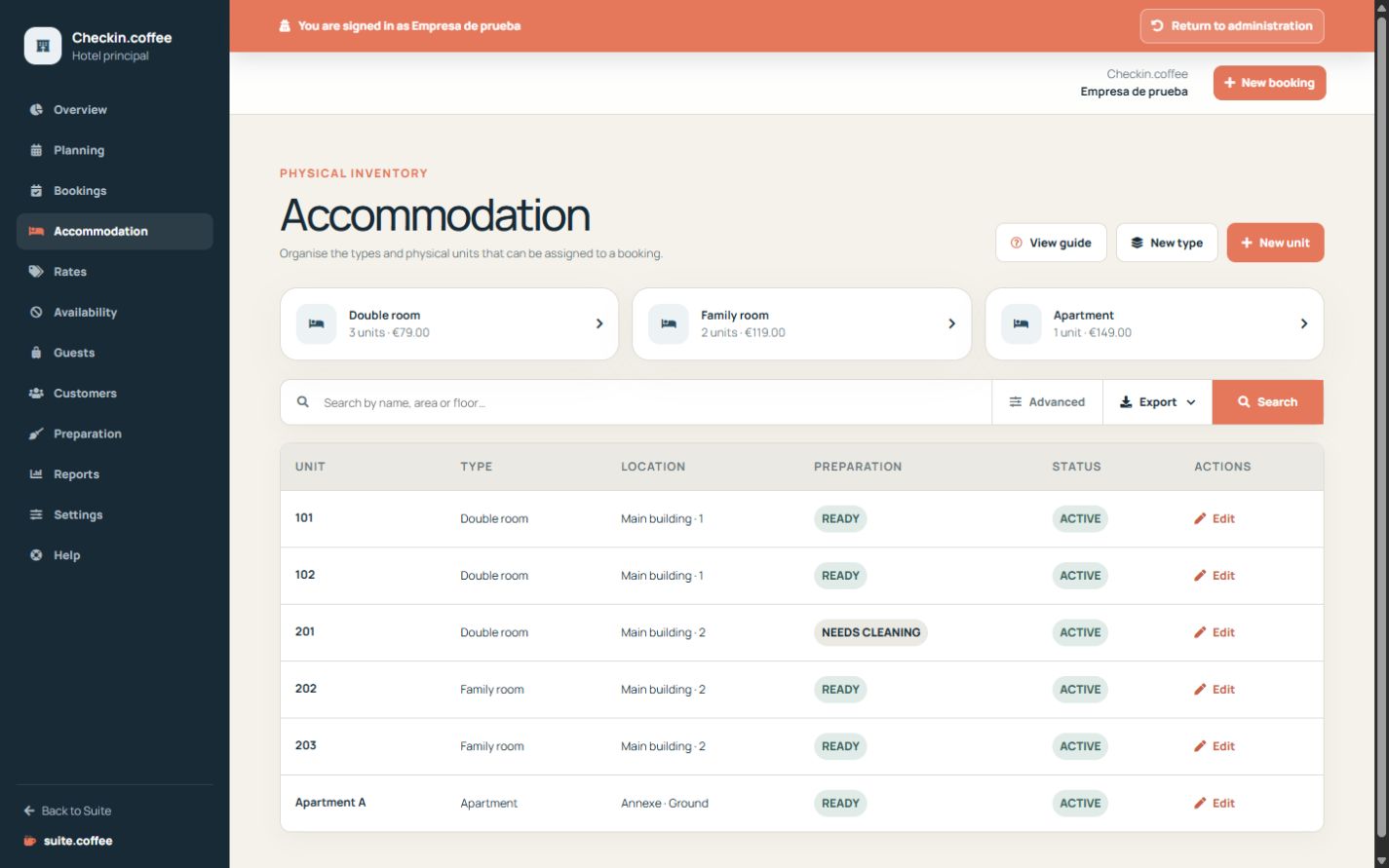
Define the type
Set occupancy, adult and child limits, amenities, base price and status. A type describes what is sold; it is not a physical assignment.
Create physical units
Each unit belongs to a type and has its own name, area, floor, operational status and housekeeping status. Reservations are assigned to these real units.
Respect plan suspension
Units above plan capacity are preserved but suspended reversibly. Suspended, blocked or inactive units cannot receive new bookings.
Step by step
- Open Units and create a type.
- Set capacity, adult and child limits, amenities and base price.
- Create each physical unit under the correct type.
- Add its operational name, floor, area and initial statuses.
- Review blocked, inactive or plan-suspended units before selling capacity.
Final check
- Every physical unit belongs to the correct type.
- Occupancy and price describe the real product.
- Only active non-suspended units receive new bookings.
Tip: Use stable names recognised by reception and housekeeping; marketing copy belongs to the type, not the room number.