










Prepare the property, regional context and stay rules before opening direct booking.
Before you start
- Create the first unit type, physical units and rate.
- Confirm contact details, timezone, currency and primary language.
Complete the initial assistant
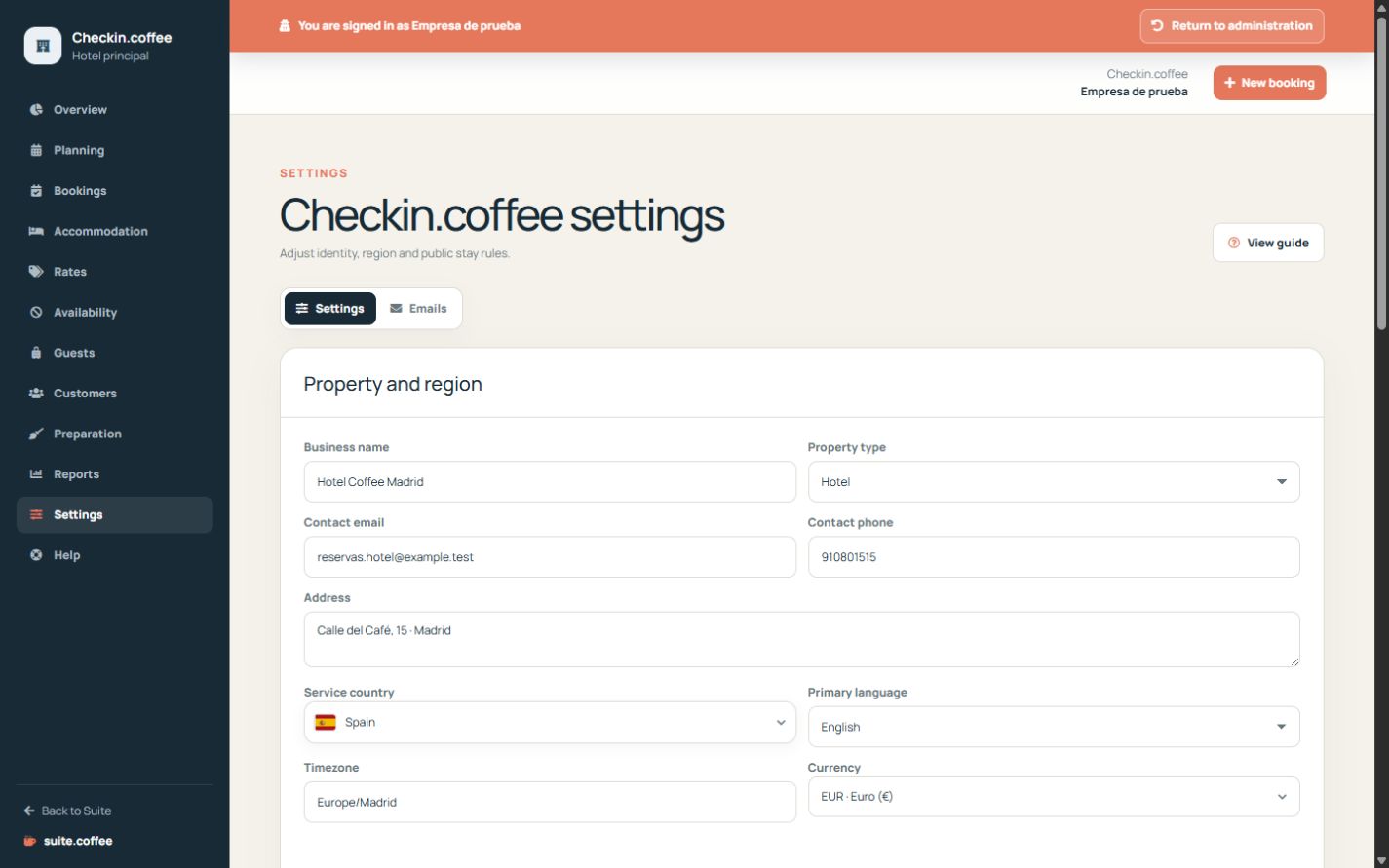
Confirm property identity, create the first unit type and its units and define a rate. Country, timezone, currency and primary language come from the instance context.
Review stay rules
Set standard check-in and check-out times, advance window, cancellation notice, public changes and publication. Review prefixes and contact details before receiving bookings.
Keep Suite-wide settings separate
Account, members, contracted plan and service connections belong to Suite.coffee. Checkin settings cover only this property.
Step by step
- Open Settings from the Checkin sidebar.
- Review property name, type, contact and address.
- Confirm country, language, timezone and currency.
- Set check-in, check-out and booking notice windows.
- Choose public change and cancellation permissions, then publish after a complete test.
Final check
- Dates and prices use the expected regional values.
- Stay rules match the real reception policy.
- The public page is published only after inventory is ready.
Tip: Keep Suite account, members and plan settings in the general help; this page applies only to the property.