










Test the complete guest journey in every offered language before sharing the booking link.
Before you start
- Publish the property with available units and an active rate.
- Use an email address able to receive the verification code.
Book against real inventory
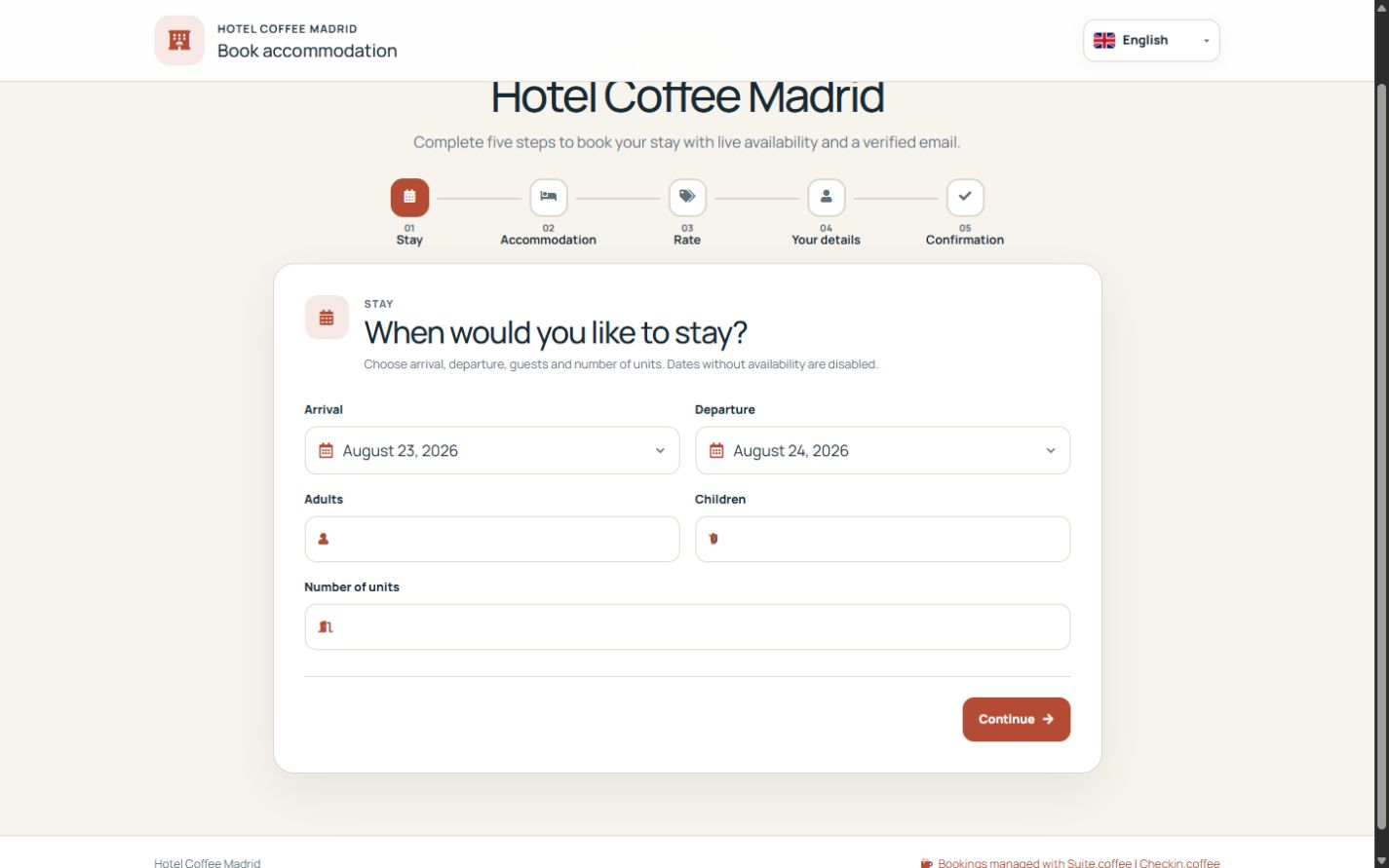
The public flow selects dates, unit type, rate, occupancy, quantity and contact details. Only active, non-suspended units compatible with the full night interval are offered.
Verify the exact request
The six-digit email code lasts ten minutes, allows five attempts and is tied to email, dates, type, rate, guests and unit count. Verification and availability are checked again at creation.
Use the secure management link
When permitted, the guest can reschedule or cancel within notice and add guest details for pre-check-in. The token grants access only to that booking; it is not a Suite account.
Step by step
- Open Direct booking from the overview.
- Choose arrival, departure, adults and children.
- Select a compatible unit type, rate and quantity.
- Enter guest contact details and request the six-digit code.
- Verify, confirm and test the secure management and pre-check-in link.
Final check
- Unavailable units and rates cannot be selected.
- The email code is required for the exact request.
- The secure link exposes only its booking.
Tip: Repeat the flow on a phone and in every published language; this is the journey guests actually use.