










Represent the physical preparation of every unit without confusing it with booking availability.
Before you start
- Agree what each housekeeping status means for the team.
- Review today’s departures and blocked units.
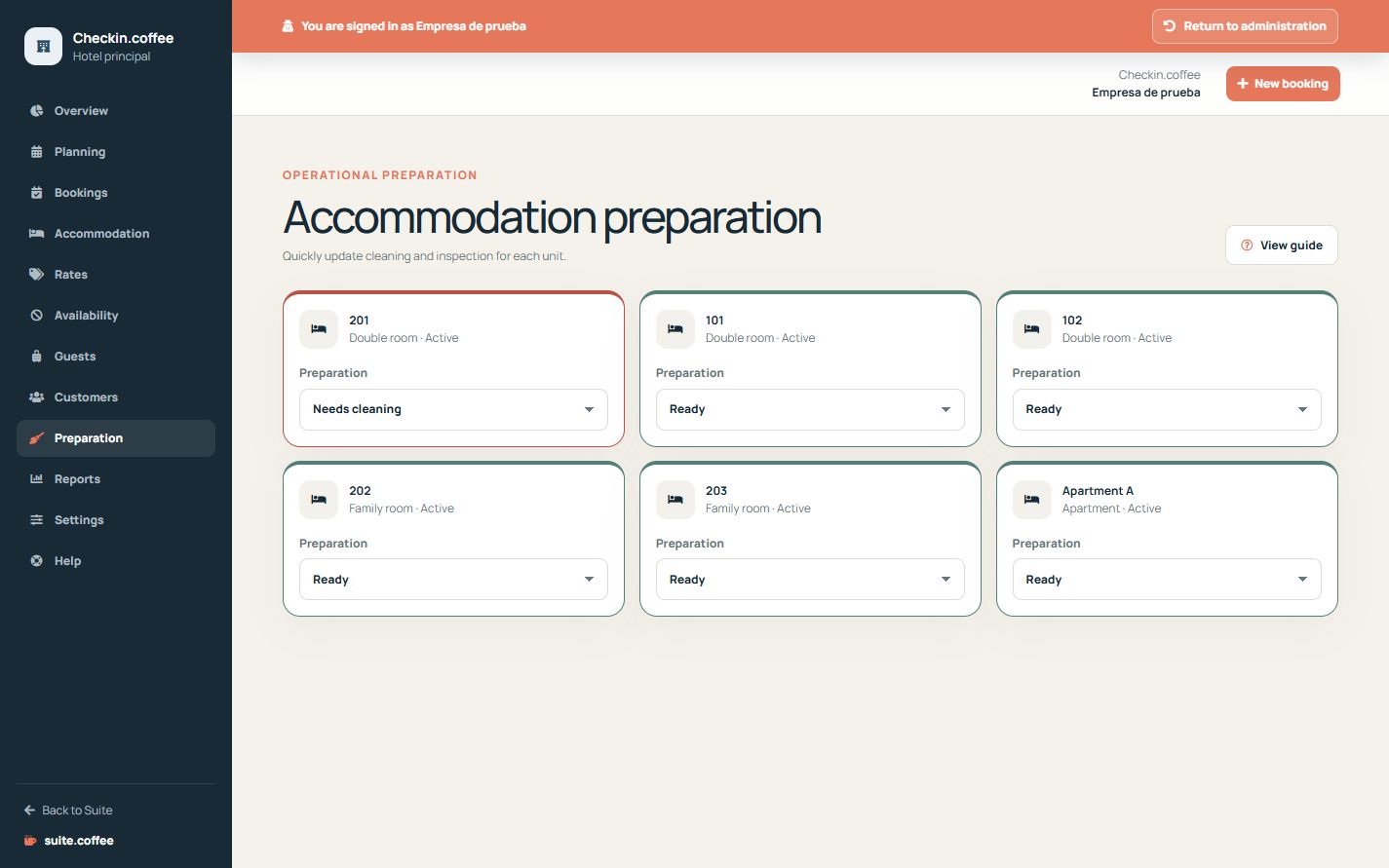
Follow the physical workflow
Use dirty, cleaning, clean, inspected, ready or blocked to represent the real room condition. Checkout automatically changes assigned units to dirty.
Keep status meanings separate
Housekeeping status describes preparation. Unit operational status, date blocks, bookings and plan suspension also participate in availability.
Confirm before marking ready
Use inspected and ready only when the required checks have occurred. The current module tracks status; it does not provide staff task assignment, photo evidence or offline checklists.
Step by step
- Open Housekeeping at the start of the shift.
- Review the current status of every unit.
- Move a unit to Cleaning when work begins.
- Use Clean and Inspected after the corresponding checks.
- Mark Ready only when reception can rely on that preparation.
Final check
- Departed units have moved to Dirty.
- Blocked is used only for the physical preparation state.
- Ready units have completed the agreed checks.
Tip: Operational unit status, date blocks and bookings still affect availability even when housekeeping says Ready.