










Create and operate stays against real inventory while keeping assignments and reception status traceable.
Before you start
- Prepare unit types, rates and physical units.
- Search the shared customer before creating duplicate contact data.
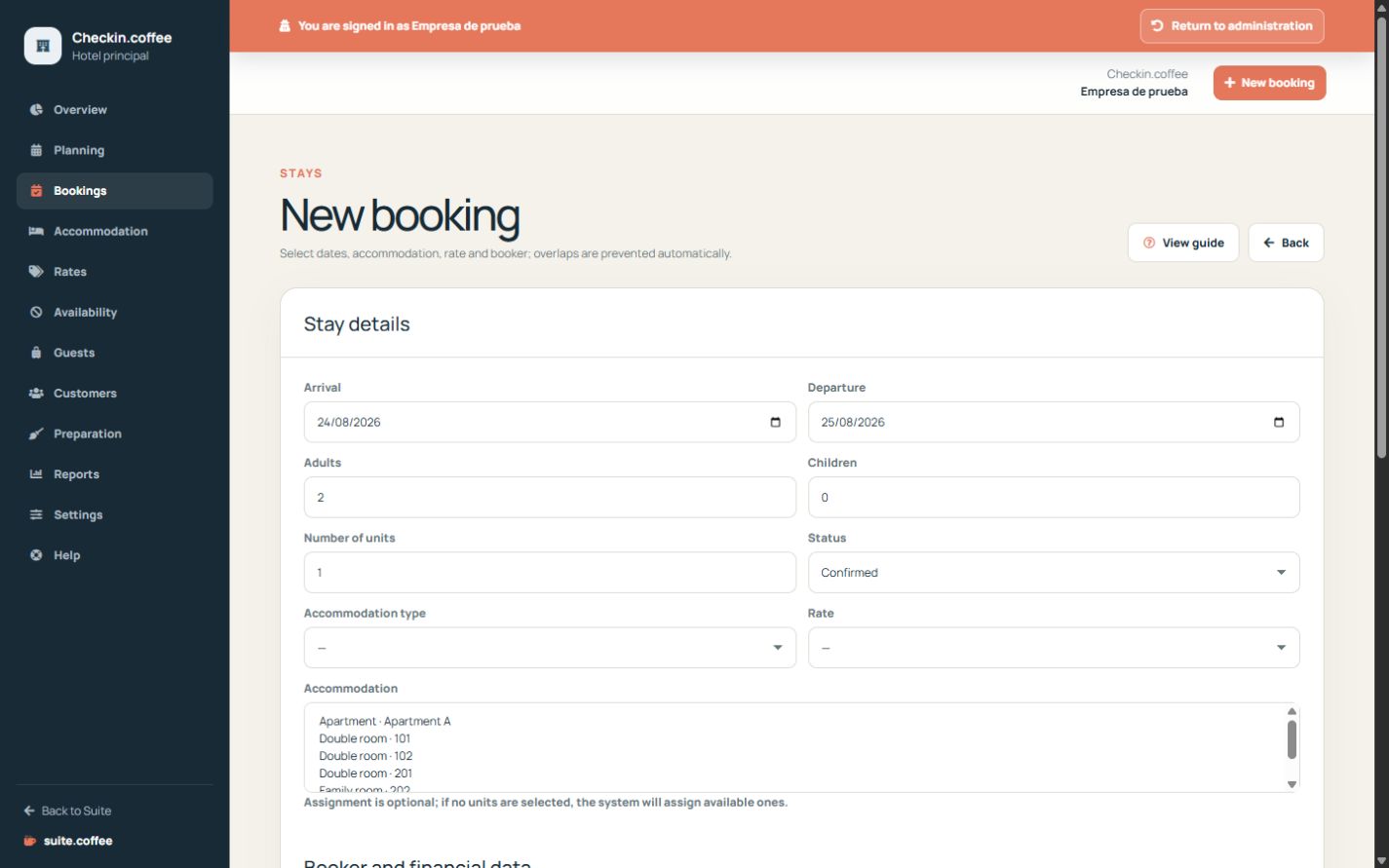
Create a coherent stay
Select dates with departure after arrival, type, rate, occupancy, unit count and customer. Manual units must belong to the instance, match the type and be available for every night.
Use the planning safely
Dragging a booking preserves its duration and moves the complete assignment after server validation. A failed move leaves the original stay unchanged.
Follow operational status
Use draft, hold, pending, confirmed, checked in, checked out, cancelled or no-show according to reality. Changes and assignments are recorded; checkout marks the assigned units dirty.
Step by step
- Open Bookings and choose New booking.
- Enter arrival, departure, type, rate, occupancy and quantity.
- Assign compatible available units when required.
- Select an existing customer or enter new contact details.
- Save and follow the real status through check-in, check-out, cancellation or no-show.
Final check
- Every assigned unit is free for all nights.
- Occupancy fits the selected type and quantity.
- Status and internal payment snapshot reflect reality.
Tip: Checkout marks assigned units dirty; finish the real reception action before changing the state.